

How I Pick High-Quality Free Stock Images for Commercial Projects
Read Time:4 Minute, 25 Second
I’ll be honest—finding a good free stock image for a commercial project used to feel like digging through a junk drawer. You scroll, you click, you get excited, and then… the resolution’s terrible, the license is confusing, or the composition just doesn’t work. After a few painful mistakes, I developed a method that actually works.
Here’s how I do it now:
Start With Resolution
Nothing ruins a page faster than a blurry image. I make sure every photo I use is high-resolution—usually at least 2000 pixels on the long side. That way, whether it’s going on a website banner, social post, or print material, it looks sharp.
Check the License
“Free” doesn’t always mean “safe to use commercially.” Some images require attribution, and some have limits on commercial use. I always double-check the license. Pikwizard, Pexels, and Unsplash make it pretty straightforward—you can usually tell right away if an image is safe for a client project.
Composition Matters
Even a technically perfect image can look amateur if it’s poorly composed. I look at the framing, balance, and whether there’s enough space for text or graphics. A stock photo with good negative space can save hours when creating marketing materials.
Relevance is Key
An image can be beautiful but useless if it doesn’t fit your brand or message. I ask myself: Does this tell the right story? Will my audience connect with it? If it’s a little off, sometimes a quick crop, overlay, or color tweak makes it work.
My Favorite Sources
I rely on a few places:
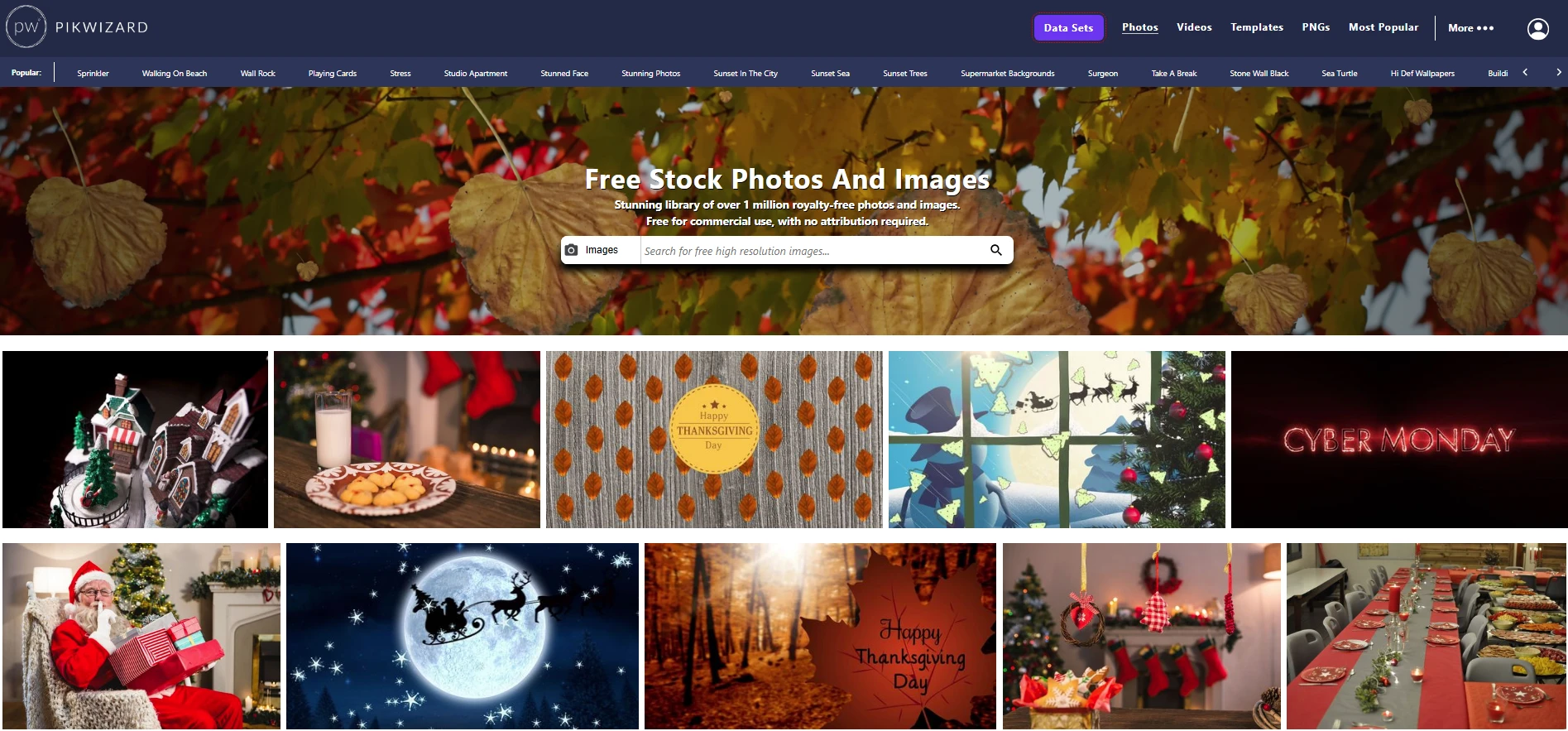
- Pikwizard – My top choice for professional-looking free images that feel unique. Starting with Pikwizard usually makes things easier — I rarely need to hunt for better quality images after that.And what I also like is that here I can find not only JPG images, but also free PNGs on transparent background – very useful for different design purposes.
- Unsplash – Great for lifestyle and artistic shots.
- Pexels – Nice for casual or modern content, plus free videos.
Choosing stock images isn’t just grabbing something pretty. You need resolution, proper licensing, good composition, and relevance to your brand. Do this consistently, and your commercial projects instantly look more polished — without ever paying for stock photos.
FAQ: Free Stock Images for Commercial Use
1. What are free stock images for commercial use?
Free stock images for commercial use are photos you can legally use in business projects — like websites, ads, social media, and print—without paying a license fee. Sites like Pikwizard, Unsplash, and Pexels offer free commercial-use images, but you still need to check each image’s license details.
2. How do I know if a free stock photo is really safe for commercial use?
Always check the license on the download page. Look for:
- Whether commercial use is allowed
- If attribution is required
- Any restrictions (no resale, no logo use, no sensitive topics, etc.)
Pikwizard, Pexels, and Unsplash usually show this clearly, so you can quickly see if a photo is safe for client work or brand campaigns.
3. What image resolution should I use for commercial projects?
For professional results, go for high-resolution images, typically at least 2000 pixels on the long side. That way, your stock photos will look sharp on:
- Website hero banners
- Social media posts
- Printed materials (flyers, posters, brochures)
Low-res images can look blurry or pixelated and instantly make your brand look unprofessional.
4. Why does image composition matter in stock photos?
Good composition makes your design look polished and intentional. When choosing free stock images:
- Check the framing and balance
- Look for clear focal points
- Make sure there’s enough negative space if you plan to add text or graphics
A well-composed photo can save you time in design and make your layouts look more professional.
5. How do I choose the right stock image for my brand?
Don’t just pick something pretty. Ask:
- Does this image support my message?
- Does it fit my brand style (colors, mood, audience)?
- Will my target audience relate to it?
If it’s close but not perfect, a simple crop, color tweak, or overlay can help it match your brand better.
6. What are the best free stock photo sites for commercial use?
Based on ease of use and quality, popular options include:
- Pikwizard – Great for professional-looking, high-resolution images that feel less overused.
- Unsplash – Ideal for artistic, lifestyle, and atmospheric photos.
- Pexels – Strong for modern, casual content and also offers free stock videos.
Using a mix of these can give you variety without sacrificing quality.
7. Can I use free stock images in client projects and marketing campaigns?
Usually yes, as long as the license allows commercial use and you follow any rules (like giving attribution if required). This is why checking the license and usage terms is non-negotiable before using an image in paid campaigns, client work, or printed materials.
8. Are free stock photos good enough for professional brands?
Absolutely — if you’re selective. Focus on:
- High resolution
- Clean, thoughtful composition
- On-brand style and relevance
- Clear commercial-use licensing
When you apply these filters consistently, your projects look polished and professional without ever paying for stock imagery.

Happy
0 %

Sad
0 %

Excited
0 %

Sleepy
14 %

Angry
0 %

Surprise
86 %
 0
0
 7
7
More Stories

Enterprise Multi-Accounting: Finding a Reliable Multilogin Alternative
Operating multi-profile workflows across commercial digital platforms requires complete technical independence between concurrent browser sessions. Modern web services deploy complex...

When More Backlinks Stop Helping Your SEO
Backlinks remain one of the most discussed elements of SEO. The logic seems straightforward: if links help a website build...

Employee time tracking without sending your staff’s faces to the cloud
Small businesses in the UK have been running into the same regulatory question over the last few years. You want to...

Best IPTV Players: The Complete 2026 Guide for UK Users
Picture this: it's a Saturday evening, your favourite show is about to start, and the stream freezes. Again. You've tried...

The Future of Global Business: Integrating AI Translation into Workflows
We are entering an era of "borderless business" where a company's success is defined by its ability to tap into...
How to Become a British IPTV Reseller: Panel Setup, Pricing, and Legal Considerations
Marcus had been driving for a delivery platform for two years. Not because he loved it. Because the flexibility suited...